
Galafinger Labs
Touch data for robot learning · Tashkent

The touch layer for robot learning data

Synchronised video, hand pose and fingertip touch from skilled human work in Central Asia, captured with our own hardware and delivered in formats robot-learning teams already train on.

Recorded tasks

Bars show peak force across both hands in each recorded task.

Recorded tasks

Video with the touch signal beside it

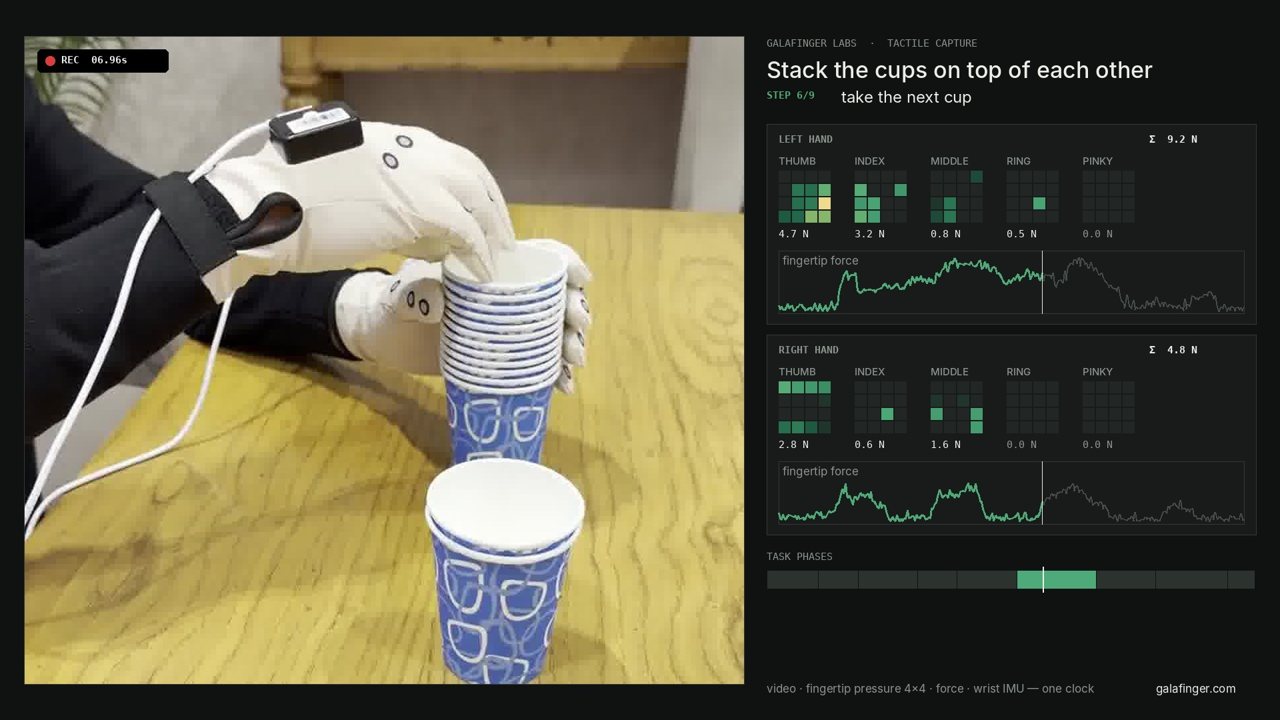
Each task is recorded with two tactile gloves and a camera. Video, fingertip force and wrist motion share one clock, so you can see when contact starts and how hard it is.

Real recordings, trimmed to the task and annotated step by step. Pick a task, drag along any signal, and watch fingertip contact change with the video. Open full screen · Request the sample set

80pressure pixels per hand
125 Hztouch sampling rate
5sensed fingertips per hand
< 5 mssync target between streams
What you receive

What every recording contains

Every recording puts video, fingertip touch and wrist motion on one clock, so each frame knows what the hand felt.

Open the data viewer
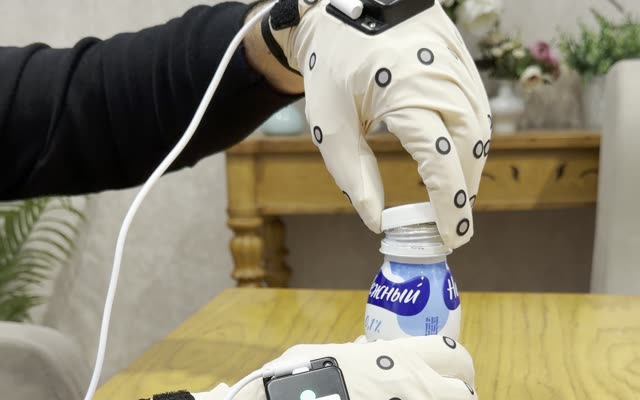
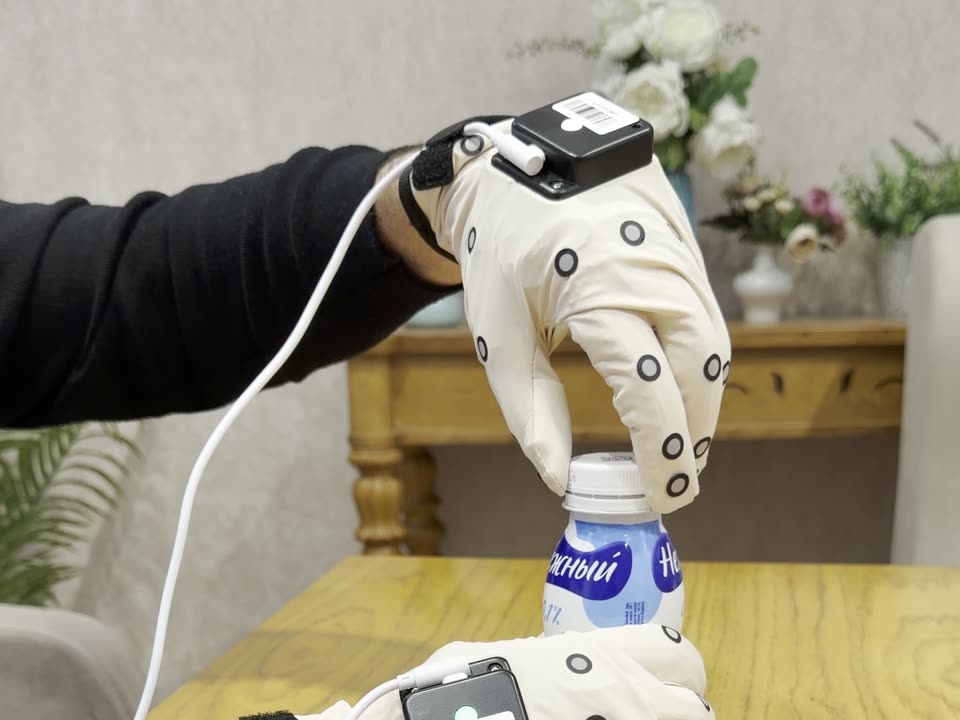
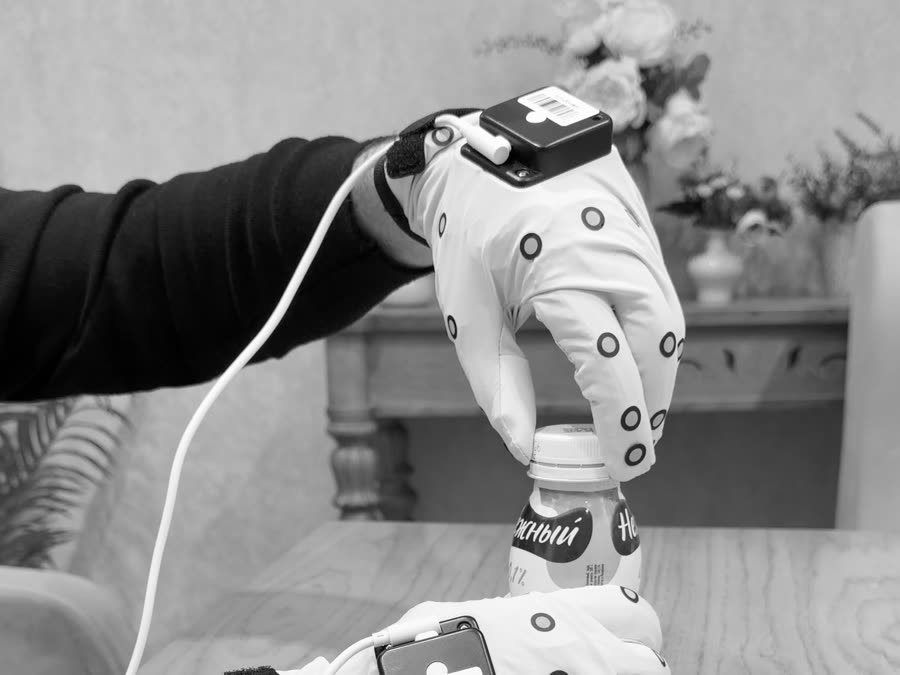
Gloved hand gripping a bottle cap
Fingertip touch map · 125 Hz

Task video

Camera view of both hands for the whole task, on the same clock as the gloves.

Fingertip touch map

80 pressure points per hand: a 4×4 grid on every fingertip, sampled at 125 Hz.

Force in newtons

Contact force per finger in newtons, not raw sensor counts.

Wrist motion

Motion of each wrist from the glove's inertial sensor.

Step labels

Grasp, hold and release boundaries taken from the contact signal.

Delivery format

LeRobot dataset layout, ready for a training pipeline.

How it works

From a human hand to robot-ready data

One pipeline from the first task list to the delivered dataset. Every episode is recorded on site and checked before it ships.

01 · Protocol

Task list and setup

We agree the tasks, objects and number of episodes with your team.

02 · Capture

Gloves and cameras

An operator performs each task wearing tactile gloves while cameras record.

03 · Sync and label

One clock, labelled steps

Streams are aligned and each episode is cut into steps from the contact signal.

04 · Delivery

Dataset in your format

Episodes are checked one by one, then delivered as a LeRobot dataset.

What we record

Real tasks, recorded by hand

Five everyday tasks are recorded and open to inspect. Other task families are recorded to order, to your object list.

See recorded tasks
Recorded

Everyday handling

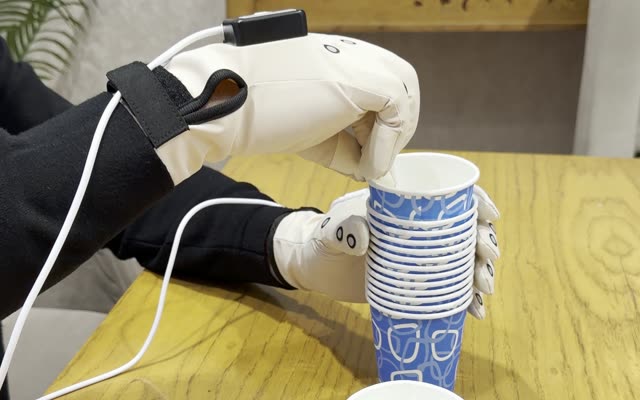
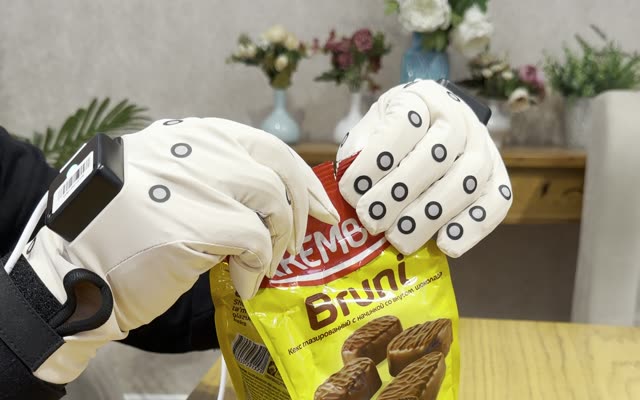
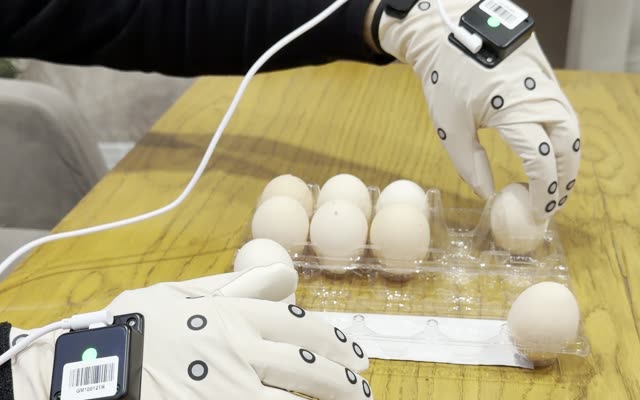
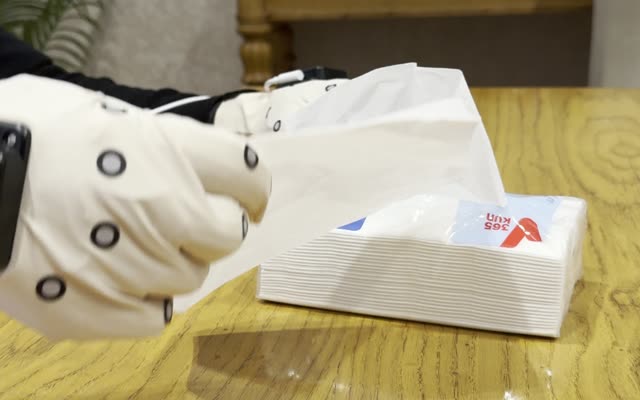
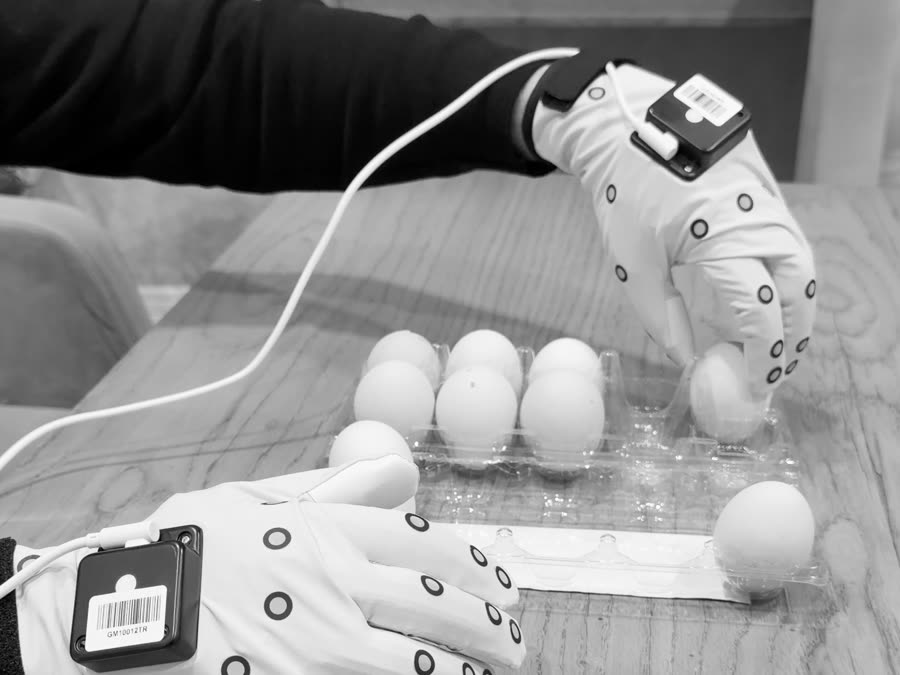
Bottles, cups, eggs, packages and tissues: grasp, hold, twist and release.

To order

Packing and unpacking

Opening, filling and sealing packages and boxes.

To order

Kitchen and service

Dry food handling, stacking and table setting.

To order

Laboratory handling

Careful work with small and fragile containers.

Force you can read

Fingertip force arrives in newtons, so a grip of 2 N and a grip of 30 N look different in the data.

One clock

Video and touch are aligned frame by frame, so contact in the signal matches contact in the picture.

Steps from contact

Grasp and release are cut where the contact signal changes, not where a viewer guesses.

Insights

Notes from the recordings

Recorded task with fingertip force readout
Analysis · November 2026

What the camera cannot see: fingertip force in five everyday tasks

Peak and median force by task, which fingers carry the load, and how fast a grip changes.

Read the article on LinkedIn

Teaching robots to feel

Robots learn dexterity from people. We record what skilled hands feel, so models learn contact as well as motion. Hardware, software and annotation in one loop, so every recording makes the next one better.

SEQ 01 / 03
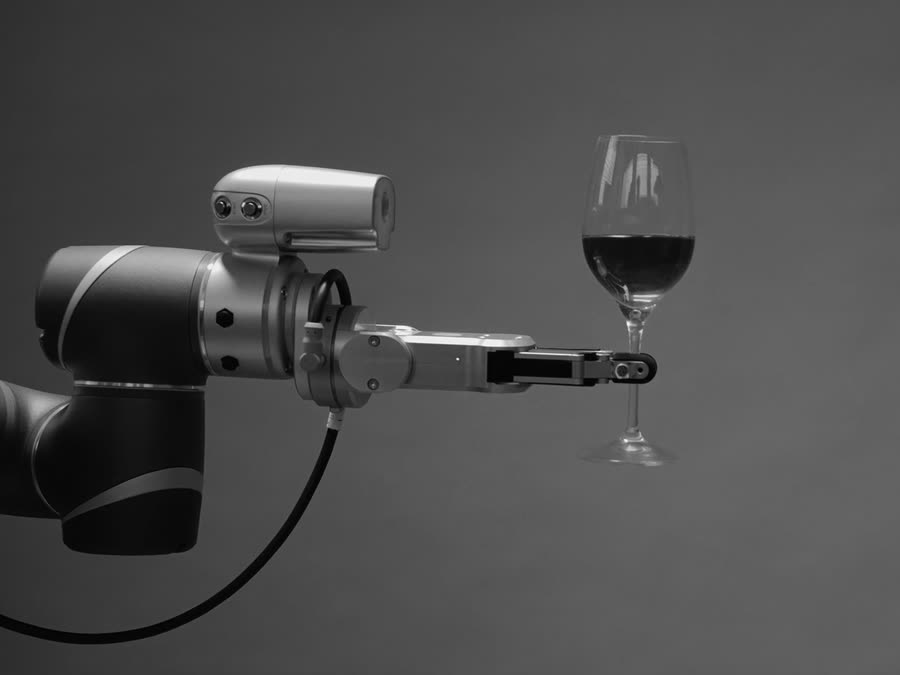
Two gloved hands unscrewing a bottle capA gloved hand lifting an egg from a cartonA robot arm holding a glass

Tactile as ground truth

Touch removes the guesswork

No ambiguity

Contact is measured, not inferred from pixels. Every fingertip reports whether it touches something and how hard.

L PIN0.0 NL RIN3.6 NL MID5.4 NL IND19.1 NL THU19.4 NR THU5.0 NR IND1.4 NR MID6.1 NR RIN1.4 NR PIN0.0 N

Bottle cap episode: fingertip contact at peak grip

Contact dynamics

Force over time separates a grasp from a hold, an adjustment and a release, the details a video-only dataset has to guess.

051015200 s2 s4 s6 s8 s10 s12 sNL thumbL indexR thumbR middle

Bottle cap episode: fingertip force over time

0510N0s1s2s3sThumbIndexMiddleRingLittle

Touch-grounded annotation

Contact transitions set the action boundaries, so every segment starts and ends where the hand really changes what it is doing.

grasp and hold the bottleunscrew the caplift the cap offscrew the cap back onrelease and withdraw handsLeft hand, total forceRight hand, total force

Bottle cap episode: annotated steps over total grip force

idlegraspholdphaseΣ N0s1s2s3s

Figures are drawn from the recorded episodes on this page: real video frames and real glove signals.

Synchronisation

Any stream, one timeline

Vision, touch, hand motion and task labels are stamped on a shared clock, so a pressure spike lands on the exact video frame where the fingers meet the object. Feeds that arrive drifting snap onto one timeline, so an episode reads as a single record instead of files you reconcile later.

offset target < 5 ms
T+0.9 sT+2.7 sT+4.5 sT+6.3 sT+8.1 sT+9.9 s
Right thumbRight indexLeft index

A real recording: six video frames and the fingertip force measured at the same instants.

Data capture system

Hardware and software, built together

Running

Tactile glove

A thin, stretchable glove with a 4 × 4 pressure array under each fingertip, bend sensing and a motion sensor.

  • 80 pressure pixels per hand
  • 125 Hz, calibrated to force
  • Left and right hand
Ask about the glove
Integrating

Vision rig

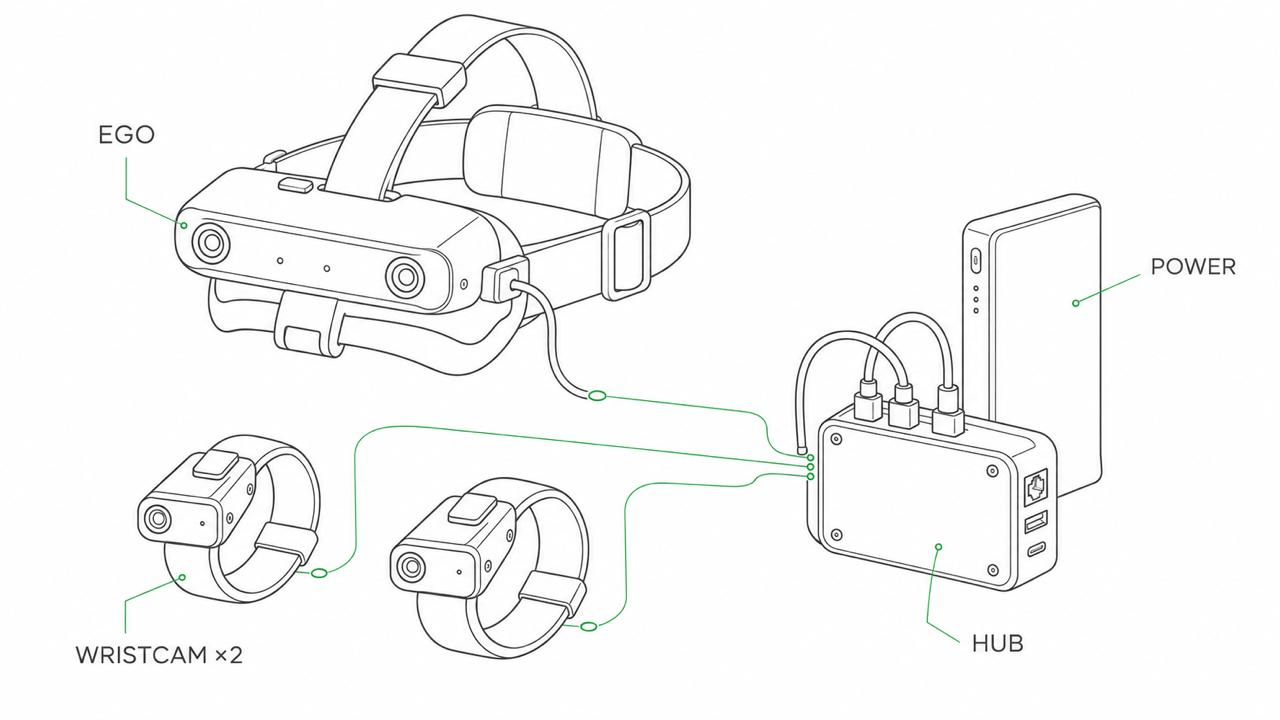
Head-mounted wide-angle camera and two wrist cameras on one hub, so the worker's view and both hands are recorded together.

  • Egocentric view from the eyes
  • Wrist views of each hand
  • Shared hardware trigger
Ask about the rig
Running

Studio software

One app to record, synchronise, review and export, with an on-screen contact view and robot-hand replay.

  • Quality score for every episode
  • Phase detection from contact
  • LeRobot-format export
See the recordings

Field of view

The worker's view, from the eyes outward

The head unit sits on the forehead and looks down at the work area. Its fisheye cameras cover 165° × 130° in front; the four-camera version adds side cameras for about 280° around the head, and the depth version adds a 90° × 65° depth field.

  • Front cameras165° × 130°
  • Side cameras, four-camera unit≈ 280° combined
  • Depth field, depth unit90° × 65°

Coverage figures are the manufacturer's specifications for the head modules we use. Every device writes to one clock with under 1 ms timestamp error.

Capture kit

Head, wrists, hub and power

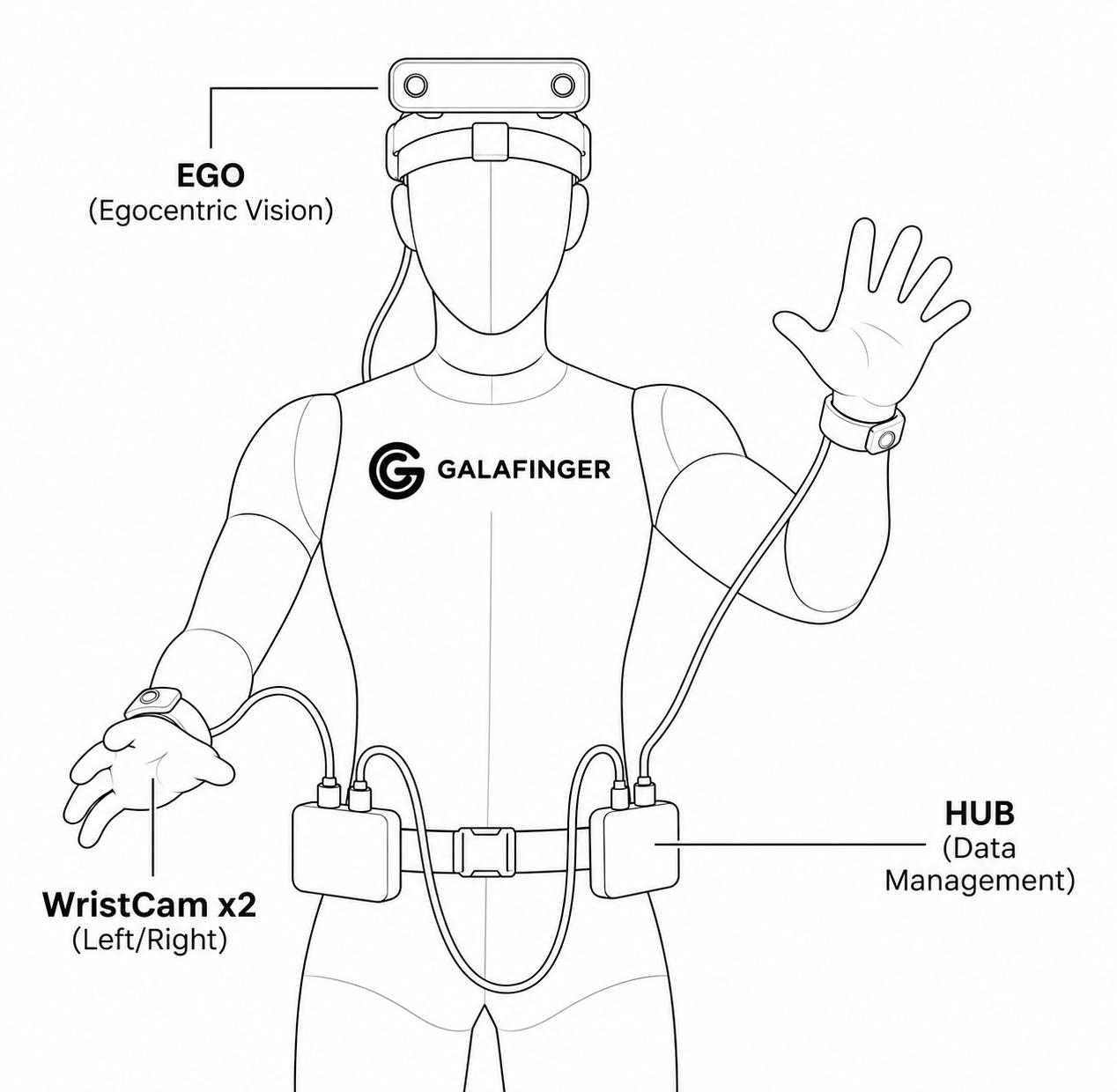
The head unit and both wrist cameras connect to one hub, powered by a single battery pack. Every stream is stamped by the same clock, and the kit runs a full shift without a wall socket.

Line drawing of the capture kit: a head-mounted stereo camera unit and two wrist cameras, each cabled to a hub that is powered by a battery pack.
  • Head unitStereo fisheye cameras, 6-axis IMU
  • Wrist cameras × 2165° view, under 75 g each
  • HubShared clock, under 1 ms sync
  • PowerOne 10,000 mAh pack, about 20 h

Runtime is the manufacturer's figure for the head module. Illustration by Galafinger Labs.

On the body

Worn on the body, hands left free

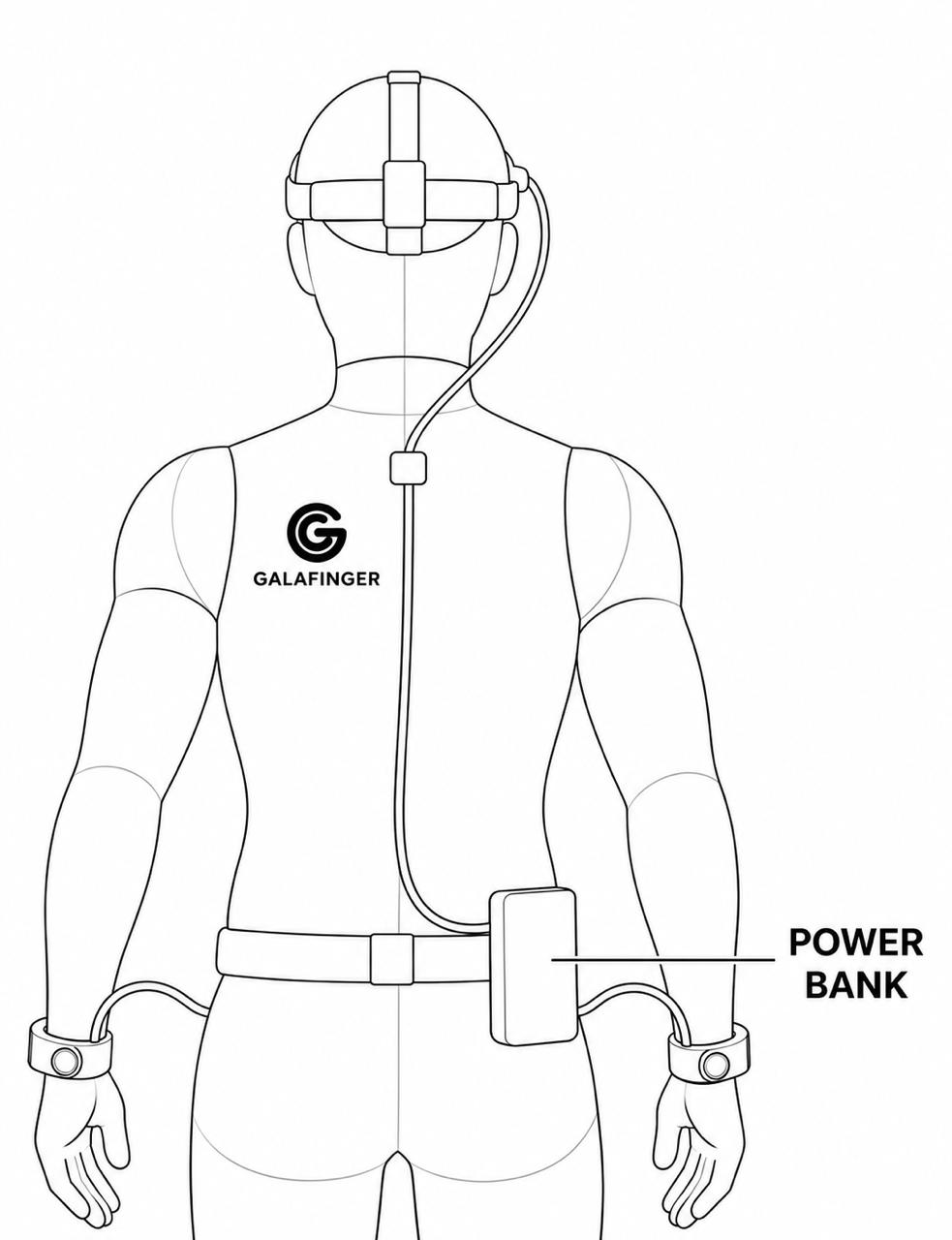
The head unit sits above the eyes and a camera rides on each wrist. Cables run to a hub and a power bank on the belt, so nothing gets in the way of the work.

VIEW 01 / FRONT
Line drawing, front view: a head-mounted camera unit, a camera on each wrist and a hub on the belt, connected by cables.
Front: head unit above the eyes, a camera on each wrist, hub on the belt.
VIEW 02 / BACK
Line drawing, back view: a cable runs from the head unit down the spine to a power bank on the belt, with cables to both wrist cameras.
Back: one cable runs down the spine to the power bank on the belt.

Illustrations by Galafinger Labs.

What you receive

Every stream, with its status

StreamSourceStatus
Fingertip pressure, 80 pixels per handTactile gloveRunning
Finger bend and hand jointsTactile gloveRunning
Hand orientation and accelerationTactile gloveRunning
Task phases from contactStudio softwareRunning
Episode quality scoreStudio softwareRunning
Egocentric videoVision rigIntegrating
Wrist video, both handsVision rigIntegrating
Head orientationHead unitIn development
Wrist orientationWristbandsIn development

Delivered in LeRobot format today. Other formats on request.

Why touch and body motion

What video alone has to guess

Video only

  • Contact is guessed from pixels
  • Grip force is unknown
  • Action boundaries are marked by eye
  • Hidden fingers are estimated

Video with touch and motion

  • Contact is measured at each fingertip
  • Force is recorded in newtons
  • Boundaries come from contact changes
  • Head, wrist and hand share one clock

Roadmap

Where the system is going

Running

Gloves and Studio

Touch, bend and motion recorded, checked and exported.

Integrating

Vision rig

Head and wrist cameras on one shared trigger.

In development

Head unit and wristbands

Head and wrist motion on the same clock as everything else.

Next

First partner datasets

Scoped with a small number of robotics teams.

Get in touch

Tell us what your robot needs to feel

We are choosing a small number of first partners. Robotics teams: describe the task and the hand you train for. Workshops and factories in Uzbekistan: offer a place to record.

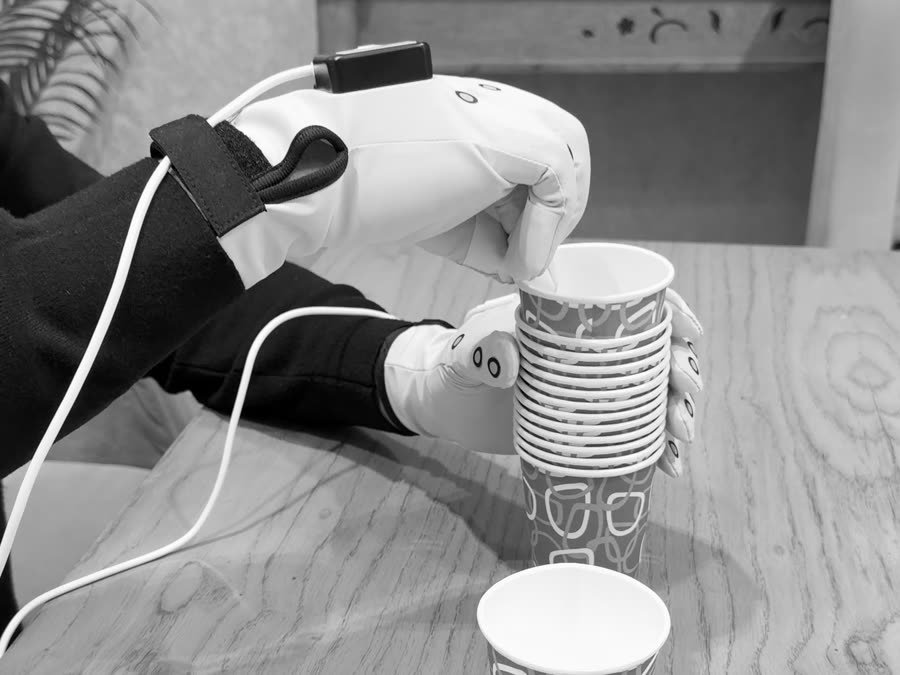
Gloved hands stacking paper cups

Or write directly on LinkedIn.

We use your details only to reply to this inquiry and never pass them on.